
Download Animant – 3D Storytelling Tool for AR Experiences
Overview
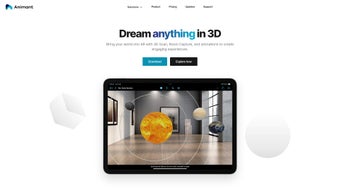
Animant is an AI‑powered 3D storytelling platform that turns ordinary ideas into immersive augmented reality (AR) experiences without demanding any prior 3D animation skills. By blending natural‑language prompts with sophisticated AI generation, Animant lets creators describe a scene, a product, or an educational concept, and instantly receive a fully textured, interactive 3D model ready for AR deployment. The tool’s core mission is to democratise AR content creation: marketers can build product demos, educators can design hands‑on labs, and hobbyists can craft interactive stories that live directly in the physical world through a smartphone or tablet camera.
What sets Animant apart is its seamless integration of real‑world scanning and virtual asset placement. Users can point their device’s camera at a desk, a room, or a specific object, and the software constructs a detailed floor plan or 3D replica in seconds. These scans become the canvas on which 2D assets—photos, PDFs, videos—can be layered alongside AI‑generated 3D objects, creating a blended reality that feels both natural and magical.
Because the AI handles geometry, textures, lighting, and animation, creators spend more time refining the narrative and less time wrestling with complex software.
The platform is built for cross‑platform accessibility, offering a web‑based editor that runs on Windows, macOS, Android, and iOS devices. Whether you’re preparing a sales pitch on a laptop or conducting a classroom experiment on a tablet, Animant adapts to the device you have, delivering a consistent, low‑latency AR experience.
Security and privacy are baked into the service: all generated assets are stored encrypted, and the AI model runs on secure cloud infrastructure, ensuring that sensitive product designs or educational content remain confidential.
In short, Animant transforms the traditionally steep learning curve of 3D and AR development into a conversational workflow, allowing anyone to craft compelling, interactive stories that blur the line between reality and imagination.
Core Features That Power Your AR Stories
- Natural‑Language 3D Generation: Type a sentence—“a futuristic coffee maker on a wooden table”—and receive a fully textured, physics‑ready 3D model in seconds.
- AI‑Assisted Detailing: The system refines geometry, adds realistic materials, and optionally animates objects based on contextual cues from your prompt.
- Real‑World Scanning: Use the device camera to capture rooms, surfaces, or objects; Animant instantly creates a 3‑D floor plan or mesh that serves as a spatial anchor.
- Mixed‑Media Layering: Combine 2‑D assets such as PDFs, videos, or images with generated 3‑D objects for a rich, hybrid AR scene.
- Cross‑Platform Web Editor: No heavy downloads—access the full authoring suite from any modern browser on Windows, macOS, Android, or iOS.
- Template Library: Pre‑built story templates for product demos, educational labs, and marketing campaigns help you get started quickly.
- One‑Click Publish: Export AR experiences as shareable links or QR codes that launch instantly on any AR‑compatible device.
- Secure Cloud Storage: All projects are encrypted at rest and in transit, with granular access controls for team collaboration.
- Regular AI Model Updates: The backend receives continuous improvements, adding new object categories, higher‑resolution textures, and faster rendering.
- Analytics Dashboard: Track user interactions, time‑spent in AR, and conversion metrics directly from the platform.
These features collectively make Animant a versatile tool for a wide range of use‑cases. Marketers can craft interactive product visualisations that let customers place a virtual sofa in their living room before buying. Teachers can design virtual lab experiments where students manipulate chemical structures in real time. Even independent creators can publish AR short‑stories that overlay narrative elements onto physical locations, turning a city park into an interactive storybook. The modular nature of the platform means you can start with a simple 3‑D object and gradually layer more complexity—animations, sound, and interactivity—without ever leaving the web interface.
Installation & Usage Guide: From Download to First AR Scene
Step 1 – Access the Web Portal
Animant does not require a traditional installer for most users. Visit animant.com and click the “Get Started” button. You’ll be prompted to create a free account using an email address or social login. After verification, you’ll land on the dashboard where you can create a new project or explore the template gallery.
Step 2 – Choose a Project Type
On the dashboard, select “New Story” and pick a category: Product Demo, Educational Lab, or Custom AR. Each category pre‑loads a set of recommended assets and layout suggestions, which can be customized later. If you prefer to start from scratch, choose “Blank Canvas” to build your scene from the ground up.
Step 3 – Generate 3‑D Content with AI
In the editor, locate the “AI Prompt” box. Type a concise description of the object you need—for example, “a transparent glass vase with teal flowers”. Press “Generate”. Within seconds, the AI returns a fully rigged 3‑D model that appears in the scene hierarchy. You can rotate, scale, or reposition it using intuitive mouse or touch gestures.
Step 4 – Scan Your Physical Environment (Optional)
To anchor the AR experience to a real space, click “Scan Environment”. The web app will request camera access. Point your device at the target area and move slowly; the AI reconstructs the geometry as a point cloud, which is automatically converted into a mesh floor plan. This mesh can be saved as a “Spatial Anchor” that ensures your virtual objects stay fixed relative to the physical world.
Step 5 – Enrich with 2‑D Media
Drag and drop PDFs, images, or video clips onto the canvas. Animant automatically creates interactive hotspots: a PDF can be opened in a floating panel, a video can autoplay when the user approaches, and images can be used as billboards that face the camera. All media are linked to the 3‑D space, so they maintain their position as the user moves.
Step 6 – Test and Publish
Use the built‑in “Preview” mode to simulate the AR experience on your desktop or mobile device. When satisfied, click “Publish”. Choose between a shareable URL or a QR code. Recipients can open the link directly in their device’s browser; the AR session launches instantly without requiring a separate app download, thanks to WebAR technology.
For power users who prefer a native app, Animant offers optional desktop clients for Windows and macOS. These clients provide offline editing and faster rendering for large projects. The download link appears in the “Resources” tab of your account dashboard, and installation follows the standard OS‑specific installer prompts.
Compatibility, Performance, and Real‑World Pros & Cons
Supported Operating Systems
Animant’s core editor runs in modern browsers (Chrome, Edge, Safari, Firefox) on Windows 10/11, macOS 10.15+, Android 8.0+, and iOS 13+. The optional native clients are available for Windows 10/11 (64‑bit) and macOS 10.15+ (Intel & Apple Silicon). All platforms support WebGL 2.0 and WebXR, ensuring smooth AR rendering across devices.
Performance Considerations
Because the heavy AI lifting occurs in the cloud, local hardware requirements are modest. A device with at least 4 GB RAM, a dual‑core CPU, and a GPU supporting WebGL 2.0 will handle most scenes comfortably. Complex scenes with dozens of high‑poly models may benefit from a dedicated graphics card, especially on desktop browsers, to maintain 60 fps in AR mode. Battery consumption on mobile devices is typical for AR applications; a full‑hour session generally uses 15‑20 % of a 4000 mAh battery.
Pros
- Zero‑code 3‑D creation via natural language prompts.
- Instant real‑world scanning transforms physical spaces into AR anchors.
- Cross‑platform web editor eliminates the need for bulky installations.
- Secure cloud storage with end‑to‑end encryption.
- Regular AI model updates keep asset library fresh and high‑quality.
- One‑click publishing via URL or QR code simplifies distribution.
- Analytics dashboard provides actionable insights on user engagement.
Cons
- Dependence on an internet connection for AI generation and cloud storage.
- Free tier limits the number of AI‑generated assets per month.
- Complex scenes may require a paid plan for higher resolution textures.
- WebAR performance can vary on older mobile browsers.
- Learning curve for advanced spatial anchoring techniques.
Frequently Asked Questions & Conclusion
FAQ
-
Can I use Animant offline?
The web editor requires an internet connection for AI generation and cloud storage. However, once a scene is fully built, you can export it as a standalone WebAR package and host it locally, allowing offline playback on any device with a compatible browser.
-
What is the pricing model?
Animant offers a free tier with limited AI renders per month and basic storage. Paid plans start at $19.99 / month, providing unlimited asset generation, higher‑resolution textures, priority rendering, and advanced analytics. Enterprise licenses are available on request.
-
Is my data secure?
Yes. All projects are encrypted both at rest and in transit using AES‑256 and TLS 1.3. Access controls let you share projects with specific collaborators, and you can export and permanently delete data at any time from the account settings.
Conclusion – Bring Your Ideas to Life with Animant
Animant bridges the gap between imagination and reality, turning simple textual ideas into rich, interactive AR experiences in minutes. Its AI‑driven workflow eliminates the steep learning curve traditionally associated with 3‑D modeling and AR development, while the web‑based editor ensures you can work from virtually any device. Whether you’re a marketer looking to showcase a product in a customer’s living room, an educator designing hands‑on virtual labs, or a creator dreaming up location‑based stories, Animant provides the tools, security, and performance needed to deliver compelling AR content.
Ready to start building? Sign up for a free account today, generate your first 3‑D scene, and experience the future of storytelling—right in front of your eyes.



.png)



